


Table of Contents
ToggleIntroduction
Have you ever visited a smooth, contemporary website and wondered how the creators of these sites turn them so high-end in such a short period of time? The trick is quite simple and is called Tailwind CSS – Make Your Website Look Pro in Minutes. The framework will enable developers and designers to develop beautiful and responsive interfaces without having to produce endless lines of custom style.
In this article, you will find out what is Tailwind CSS, how to use it, clear your doubts about do you prefer CSS modules or Tailwind, and why it is transforming front-end designing processes across all fronts.
Learn how to build a professional website with WordPress.
What Is Tailwind CSS?
So, What is Tailwind CSS? In simple terms, it is a utility-based framework that aims to assist you in styling your markup directly. You can utilize existing utility classes for spacing, color, typography, and responsiveness, eliminating the need to jump back and forth between your HTML and CSS files.
Tailwind provides complete design freedom in contrast to older frameworks, which are comprised of opinionated elements. It also enables you to create utilities such as p-4, bg-blue-500, and rounded-lg to create your own design more than ever before. Thus, developers can save hours and still have fine visual control.
Discover step-by-step guidance on how to use Elementor on WordPress to create stunning pages.
Why Developers Love It
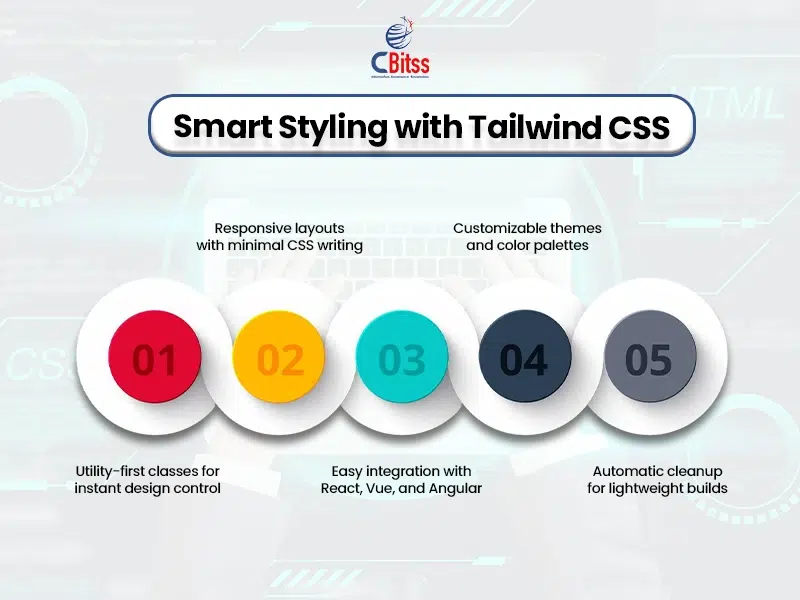
- No necessity to write custom CSS that is long.
- Quick design changes in both HTML and JSIX.
- Upon control of spacing and color palette.
- Companies with React, Vue, and Angular.
- Dark mode and responsive utilities are built.
- It makes collaboration between teams easier because they can clearly read the class names.
How to Make Your Website Look Pro in Minutes
When a developer gets into reading Tailwind CSS – Make Your Website Look Pro in Minutes, one can easily note that it is not a regular framework. It’s a philosophy. The current CSS format involves the management of multiple files, naming patterns, and the use of particular selectors. Tailwind gets rid of such a mess.
Any style choice occurs at the point in the life of the structure, in your components. In
addition, it does not impose a set look. Rather, it provides you with the means to create
your own visual style and do so fast and accurately. Consequently, even inexperienced designers will be able to produce professional websites without a lot of experience in web design.
Stay informed about the latest Cloud Controls Framework released by Cisco. Check out 7 reasons to program in Python for modern software development.
How to Install Tailwind CSS in React Vite
Installing how to install Tailwind CSS in React Vite is easier than most developers think. You can do it in minutes by following these simple steps:
- Create a new React project with npm create vite@latest.
- Install Tailwind using npm install -D tailwindcss postcss autoprefixer.
- Run npx tailwindcss init -p to generate configuration files.
- Add the Tailwind directives to your main CSS file (@tailwind base; @tailwind components; @tailwind utilities).
- Finally, include your main CSS file in your entry point (like main.jsx).
Once these steps are complete, you will immediately find your components reacting to Tailwind classes. Learning how to install Tailwind CSS in React Vite will help it become more modular, efficient, and designable.
Keep up with the top data science trends shaping the industry today.
How to Use Tailwind CSS Efficiently
After installation, the most important thing is how to use Tailwind CSS to your advantage in order to accelerate your work. To begin with, base utilities such as flex, grid, and space-x-4. These classes render the layout management intuitive.
Moreover, when you add them to Tailwind CSS colors, typography, and animation utilities, it takes the shortest possible time to create a beautiful layout. You will find, as you go on, that Tailwind also decidedly works with design systems and theming strategies. Finally, when you get good at it, you will never think about doing your hair the same way again.
Find the best places to learn UI/UX design at the top 5 UI/UX institutes in Chandigarh.
Tailwind CSS Colors That Define Your Brand
- The default palette contains more than 200 shades and 20 hue families.
- Color extensions and overrides in tailwind.config.js.
- Popular colors such as blue-500, emerald-600, and gray-800 make the design harmonious.
- Color naming goes with the intuitive visual sense as opposed to arbitrary numbering.
- Performs perfectly both in light and dark modes.
Using Tailwind CSS colors keeps the visual identity consistent and makes the styling process faster. Furthermore, it is possible to create custom palettes with teams to align them with their branding without compromising the simplicity of Tailwind.
Improve your database skills with MySQL tutorials.
Should I import Tailwind CSS to app.cs or index.css?
The question that developers ask themselves most often is Should I import Tailwind CSS to app.cs or index.css. It is a matter of your project structure. Most React or Vite projects have Tailwind imported in their root entry file (index.css) so that its utilities can be used everywhere.
Nevertheless, when you are testing or only wish that Tailwind should be applied to specific elements, you can also import it to App.css. It is all about consistency, and it does not matter which method to use; just stick to it across the app, and you will have clean and predictable results.
Upgrade your skills with iOS and Android training in Chandigarh.
Simplify styling workflows and build consistent interfaces without writing custom CSS
Do You Prefer CSS Modules or Tailwind?
Comparing the styles approaches, you will hear a lot of developers saying: Do you prefer CSS modules or Tailwind? CSS Modules are based on isolation and modularity, whereas Tailwind is based on quick composition. However, both can coexist. An example would be to use CSS Modules to do certain animations or a one-off effect, and Tailwind.CSS as the foundation of
layout and design. Finally, it is a matter of preference based on workflow.
However, when it comes to quick prototyping and scalability in styling, Tailwind will persistently be the winner due to its flexible nature and easily comprehensible style.
Learn how to manage Android application context efficiently.
Advanced Tailwind Techniques
- Design reusable component classes with re-use of component classes with the help of @apply.
- Extend default themes to do customized branding.
- Typography, forms, aspect ratios, use plugins.
- Combine with Headless UI to have ready-to-use accessible components.
- Connect to such frameworks as Next.js to style on the server side.
These are sophisticated techniques that can transform your front-end projects into marvelous ones with mastery of these techniques. The most exciting thing is that Tailwind can be expanded with your level of skills: it does not restrain creativity.
Master Android app navigation using the Android Intents Guide.
The Efficiency Behind Tailwind CSS – Make Your Website Look Pro in Minutes
The performance optimization of Tailwind CSS – Make Your Website Look Pro in Minutes. Tailwind also automatically eliminates classes that are not used in production, which produces lightweight and fast-loading pages. In addition, developers employ the same naming patterns, thus making maintenance easy. This enhances speed and clarity, and it positively impacts both small and large teams. To the point, it is a framework tailored to the new web, clean, fast, and future-proof.
Understand the fundamentals of the Linux kernel to optimize system performance.
Build lightweight responsive websites with efficient utility based styling approach
When to Use Tailwind CSS
- When prototyping, fast is required when working with a client or a startup.
- When your team is consistent in its design of components.
- In dealing with several themes or colour variations.
- Projects that require responsive layouts by default.
- When flexibility and lock-in are unwanted in a framework.

Conclusion
Tailwind CSS – Make Your Website Look Pro in Minutes is better than a styling tool; it is a revolution in thinking about web design. It is the enabling factor of the developers to be creative rather than to be configurative.
When you know what Tailwind.CSS is, how to use Tailwind CSS, and should I import tailwind CSS to app.cs or index.css, you are in a better position to create interfaces that are both modern and professional in record time.
Tailwind is the world where being fast and being beautiful are synonymous with success, and there is no need to and cannot make a choice between them.
Automate your marketing efforts by exploring what is marketing automation.

Sukhamrit Kaur
Sukhamrit Kaur is an SEO writer who loves simplifying complex topics. She has helped companies like Data World, DataCamp, and Rask AI create engaging and informative content for their audiences. You can connect with her on LinkedIn.