

Table of Contents
ToggleIntroduction
Competition is so fierce between different types of e-business platforms. WooCommerce deserves consideration as a serious player, aiding millions of companies to build global online stores. Now, if you are an active WordPress user, there’s a good chance you came across WooCommerce at least once. But just in case you have never, let us present to you WooCommerce. Now, let’s move on to the next level of understanding of what is woocommerce in wordpress. Its possibilities, and how it fits into WordPress as an essential part of the platform.
Moreover, WooCommerce in WordPress becomes clearer when you see WordPress turn into a full store. Therefore, WooCommerce suits brands that want content, commerce, and customization on one website.
What is WooCommerce?
Essentially, WooCommerce is a free open-source plugin that is designed for use with WordPress-only platforms. WooThemes is a theme designer that creates and sells themes and has been owned and operated by Automattic. It is the parent company of WordPress. Com. WooCommerce is an extension that is implemented on your WordPress site to make it a fully functional e-commerce website.
Additionally, WooCommerce gives store owners control over data, checkout, hosting, and store features. Meanwhile, its open-source model helps businesses customize stores without locking growth into one vendor.
Stay ahead of the curve by learning AI-powered design techniques for the web.
Key Features of WooCommerce
Product Management
WooCommerce has impressive options for handling products; anyone can add descriptions, images, prices, and derivatives. Moreover, modern WooCommerce stores can use product blocks and flexible templates to improve catalog presentation. Similarly, choosing single-page vs multi-page websites helps you plan category and product navigation better.
Payment Gateway Integration
All these features can be managed from the WooControl Panel. The payment gateway accepted is PayPal, Stripe, Square, among others. The fact is that it has multiple currency options and accepts several types of payments to expand geographically. Furthermore, WooCommerce lets sellers choose payment tools that match their region, workflow, and checkout style.
Shipping Options
A list of WooCommerce shipping features for small businesses includes the following. Flat rate shipping, Real-time carrier, Table rate, and more. You will also have the flexibility of coding shipping zones, rates, and even grant free shipping on products or for a certain amount of quantity. Also, shipping zones decide which delivery rates customers see at cart and checkout. Likewise, advanced shipping rules can depend on destination, weight, item count, and order value.
Inventory Management
Inventory management is crucial in any e-business stream to maintain complete records for business survival. By using WooCommerce, stock management is achievable. And you can be able to set alerts to be sent to you whenever stock levels are low, and you can also set up backorders to be automatically created in case of any out-of-stock events. Meanwhile, clear stock tracking reduces overselling and keeps product availability more reliable for buyers.
Additionally, store owners can extend WooCommerce with themes, extensions, and conversion-focused checkout improvements. Therefore, understanding what is a web crawler helps you improve product discoverability in search engines.
Marketing and Promotions
Marketing is another function that is taken care of through the extension of WooCommerce. It is by providing basic tools for gaining and maintaining customers. Price principal displays promotion coupons and promotional codes, product bundles and upsells. Whatever good offers are possible to achieve purchase decisions and improve customer loyalty.
Stay ahead of the curve by learning AI-powered
Benefits of Using WooCommerce
Moreover, WooCommerce blends blogging, landing pages, and product selling inside one WordPress dashboard. Similarly, block themes now let teams edit headers, footers, product pages, cart, and checkout visually. Also, strong UI UX course fundamentals help you reduce friction across product and checkout journeys.
Furthermore, WooCommerce supports physical goods, digital downloads, subscriptions, bookings, and custom configurations.
Therefore, businesses start free and add only the extensions they truly need.
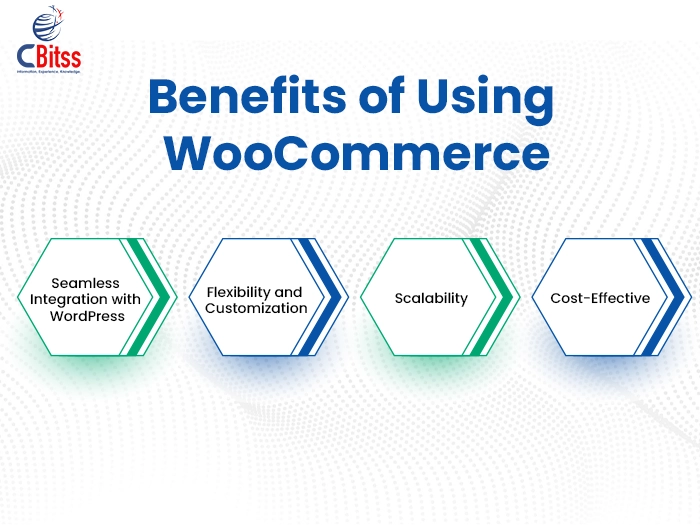
- Seamless Integration with WordPress: As WordPress plugin that is WooCommerce, it extends your site functionalities while you benefit from using the WordPress CMS meant for your online store.
- Flexibility and Customization: Another benefit of WooCommerce which cannot be ignored is that this platform is quite versatile and can be personalized. Small business people can adopt the WooCommerce store. But at the same time, large enterprises can also adopt WooCommerce and adjust it to the organization’s needs.
- Scalability: It’s crucial to know that WooCommerce can grow with your shop regardless of whether you are at the beginning of your journey or if you’re set to experience rapid growth. Since the individuals utilizing WooCommerce have a portfolio of their items increasing or acquiring more customers. The software will adequately deal with the pressure without a hitch.
Cost-Effective: However, one of the most important features that makes WooCommerce different from many other e-commerce platforms is that it is free of charge. Which means there is no monthly fee for using its services or percentage fee for every transaction made on the store.
Why WooCommerce Works Better Today
- Meanwhile, data ethics and governance matter when your store collects customer profiles and behavioral signals.
- Additionally, store owners can manage products, orders, and key stats from the Woo mobile app.
How to Get Started with WooCommerce?
Install WordPress: As a first step, make sure that you have WordPress installed in your web hosting server if you have not done it. It is also important to note that almost all web hosting services make it easy and convenient to install WordPress within just a click of a button.
Install WooCommerce: It is essential to set up your WordPress site first before installing WooCommerce To do so, click the “Plugins” option in the WordPress list on the left side of the screen. Type “WooCommerce” in the search bar, click the “Install Now” button, and then activate WooCommerce.
Set Up Your Store: Go into the specific settings of the store where you are prompted to set up the currency, payment options. The method of delivery and the amount of tax to be charged etc.
Add Products: Start populating your store by selecting the Products menu in your WordPress control panel and then clicking New on the Product list. In this step, it’s necessary to enter the necessary information about the product such as title, description, price, and images and categorize it with relevant categories and tags.
Configure Settings: Do not hesitate to spend more time learning about different options and settings in WooCommerce. Such as product and order tracking, shipment, and notifications. These settings must be configured according to the organization’s need and desired settings.
Helpful Learning Resources for Store Growth
- Additionally, Java online course with certificate can support custom store logic and backend integrations.
- Meanwhile, top Python institutes in Chandigarh can help teams automate reports, data cleanup, and analysis.
Similarly, best PPT apps help you pitch product ideas, offers, and store strategies clearly.
Conclusion
In conclusion, WooCommerce remains a practical choice for stores that want flexibility, ownership, and WordPress-based growth. Therefore, businesses should combine clean design, strong UX, fast performance, and ethical data use for better results.
To summarize, let’s look at what is WooCommerce in WordPress. Moreover, WooCommerce simplifies WordPress store creation and management. By creating a number of extensions, with control over almost every aspect of an online store. WooCommerce empowers businesses of all sizes to thrive in the dynamic e-commerce landscape.

Sukhamrit Kaur
Sukhamrit Kaur is an SEO writer who loves simplifying complex topics. She has helped companies like Data World, DataCamp, and Rask AI create engaging and informative content for their audiences. You can connect with her on LinkedIn.