

Table of Contents
ToggleIntroduction
10 Quick Tips to Create the Best Website Homepage Design:- With various website creation tools, generating a website is not particularly tough, whatever software you select, keep these principles of design in mind. We’ve compiled a list of the top ways to create the best website homepage design for your business.
Moreover, a best website homepage design starts with clear value, trust, and easy navigation. Additionally, modern homepages win when they load fast, guide action, and support every screen.
1. Make your site mobile responsive
Outer Box recorded that more than 62 per cent of buyers made purchases using their smartphones, and data show that over 90 per cent of shoppers use their smartphones to compare prices and look in product reviews, even in retail stores. Additionally, if they have a negative experience with a mobile website, 40 per cent of people would go to a competitor. If you are trying to operate a good website for e-commerce or any website, you completely have to appeal to smartphone users.
Moreover, keep mobile content equal to desktop content because Google indexes the mobile version first. Furthermore, how to create your own app begins with touch-friendly layouts, readable text, and lighter images.
2. Help us find it simple
You need to have a domain name that defines your company or is the name of your company. You may also have several website-pointing domains.
Therefore, choose a short domain that people remember, trust, and type without confusion. Similarly, how to become an Android developer also teaches naming clarity, structure, and user-focused thinking.
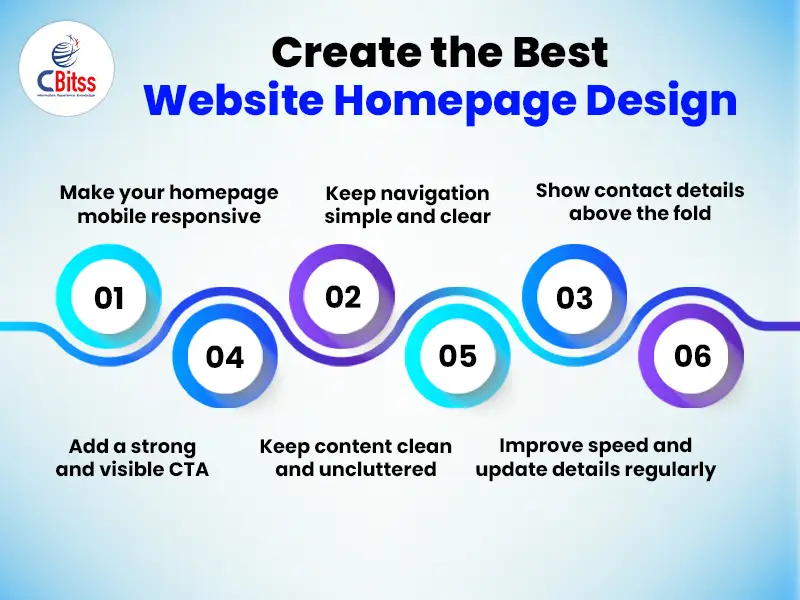
3. Place your contact information above the fold
Your contact details should be noticeable, preferably at the top of the home page, so that if people want to contact the company, customers don ‘t have to search for a phone number or address. If you are using social media to interact with customers, make sure to place links where they are easily identified in the header or footer.
Additionally, place phone numbers, email, maps, and social links where visitors can find them instantly. Moreover, cybersecurity in web design builds trust by protecting forms, payments, and customer information
4. Make it simple to manage
Limit your top-level navigation menu to five properly marked tabs organized under them with related pages. Also, no matter where your readers visit, you should have a straightforward way to get back to the home page. A search will very often take your reader to a page other than the home page.
Likewise, keep menu labels short, specific, and consistent across desktop and mobile screens. Furthermore, guide users with one main path instead of many competing choices.
Stay ahead of the curve by learning AI-powered design techniques for the web.
5. Keep your articles uncluttered
Readers need to be able to place details in context. It overloads the mind if a site has too much information, making it unable to maintain the new information. Be sure to include a text and graphics balance that provides a clear page.
Moreover, use whitespace, headings, and short sections to highlight the most important message quickly. Additionally, write people-first copy that explains benefits before features or technical details.
6. Make sure they are accurate
Inaccurate information, whether it\’s an incorrect number, expired product information, or basic grammatical errors, can turn customers off. Not only should you update each page before it goes live, but you should also check each site regularly, particularly after making updates.
Therefore, audit prices, offers, and buttons regularly because outdated details reduce trust fast. Similarly, course pages for Python training with placement in Chandigarh should show current projects and outcomes.
7. Trying to respect the need to speed up
By keeping the program updated, optimizing videos and photos for faster downloads and using a website host that can manage the traffic demands makes sure your website runs smoothly.
Meanwhile, improve speed with compressed media, caching, stable layouts, and fewer blocking scripts. Additionally, the shift to serverless and microservices can support scalable experiences on growing websites. Moreover, Microsoft Azure offers cloud services that support hosting, deployment, and performance monitoring.
Stay ahead of the curve by learning AI-powered
8. Have a call to action
The viewer should be allowed to do something on each page of your website: call, sign up for a service, purchase a product and download a white paper. To do this, make sure you have a simple proposal: a button, a connection or clear verbiage. If possible, keep it above the top, so that readers do not have to scroll until the call to action is identified.
Therefore, place one strong CTA near the top and repeat it naturally lower on the page. Likewise, pages promoting best Python training convert better with clear buttons and proof. Furthermore, pages about benefits of PHP training should explain value before asking users to enquire.
Above all, use action words that tell visitors exactly what happens after each click. Moreover, accessible buttons need visible focus states, labels, and enough contrast.
9. Keep simplicity in your design
Limit the use of fonts, colours, and video clips that can divert and draw the eyes away from the focus of the website. The details can also be downloaded and read in short paragraphs and bullet points.
Similarly, limit colors and fonts so your hierarchy stays clear and readable. Additionally, strong contrast helps visitors read text and identify buttons faster.
10. Get personal
Often, brick-and-mortar companies invest extensively in their storefronts to reflect their brand photos in line with the perception of the brand, e-commerce retailers need to create a similar high-quality online experience.
Meanwhile, personal messages work better when they address one audience with one promise. Furthermore, pages about PHP certification and its importance for career should match real learner goals. Likewise, personalize hero text, images, and proof blocks for the audience you actually serve. Moreover, show testimonials, ratings, or client logos because trust signals reduce hesitation quickly.

Conclusion
There you have it! These were effective ways to create the best website homepage design for your business. If organizations want to stay competitive in the digital landscape, they need to engage the customer and operate as planned with their web and mobile websites. Web designing course in Chandigarh would be highly beneficial for those who want to build a smooth and pleasant online user experience.
In conclusion, a strong homepage combines speed, clarity, security, and guided action. Therefore, update content often, simplify choices, and design every section for real users. Above all, helpful content supports better engagement, stronger trust, and better search performance.

J. Julia Kamei is a professional content writer with 4+ years’ experience creating impactful content for clients in the USA, India, Canada, the UK, and Europe. An M.A. History graduate, she specializes in immigration, business, IT, digital marketing, AI, and Data Science. She also mentors students for international education and research.