
Table of Contents
ToggleIntroduction
Today’s job market is competitive, and having special skills can determine whether people get their dream jobs or grow in their careers. Adobe Photoshop is one of the most widely used software that is used in graphic design and digital imaging. There are also certification programs from Adobe that show how well you know how to use this powerful software. In this article, we will look at the following areas: Adobe Photoshop Certification details, preparation tips, exam content as well as key essentials (tools/functions), and tricks that can help you pass your exams with flying colors. You can also enroll in a Graphic designing course in Chandigarh so that you can learn the use of this tool to perfection.
Moreover, Adobe Photoshop Certification builds stronger trust with recruiters, clients, and creative teams. Additionally, Photoshop skills now support ads, banners, thumbnails, mockups, and polished brand visuals. Therefore, certified learners often stand out faster in practical design interviews and freelance discussions.
What is Adobe Photoshop Certification?
Adobe Photoshop Certification is an acknowledgment given by Adobe to show that someone is good at using Adobe Photoshop software. Receiving this formal approval is a way to show how good you are at changing pictures, coming up with graphics, and touching pictures by using Photoshop. This will increase your document’s credibility when searching for jobs or organizing meetings with other stakeholders.
Furthermore, learners who join a UI UX course often improve screen design before refining visuals in Photoshop. Likewise, certification shows that you can edit creatively while following a structured professional workflow.
Preparing for Adobe Photoshop Certification
Getting ready for Adobe Photoshop Certification requires an organized approach as well as commitment towards learning the characteristics and operations of this program. Below are a few guidelines that can assist in attaining this goal:
- You should get to know your way around the Photoshop interface, tools, and panels first.
- There are various websites like Adobe’s official website, LinkedIn Learning, and Udemy that provide full courses for different skill sets.
- In order to master Photoshop, it’s important to practice consistently.
- Use the Photoshop abilities that you have learned over time on practical projects like making digital art, editing pictures, or creating mockup designs.
- Make sure you get used to official Adobe Photoshop documentation in the form of user guides, help articles, and video tutorials, including but not limited to it.
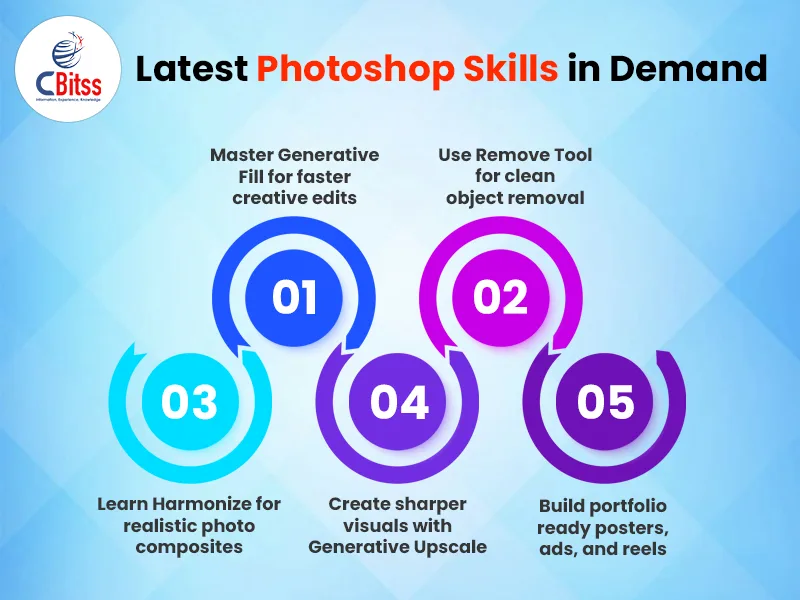
Moreover, practicing website design for a small business improves your layout planning and branding decisions. Additionally, exploring the best PPT apps sharpens presentation design and visual storytelling. Therefore, build projects that include posters, product edits, social creatives, and website banners. Likewise, keep a portfolio that clearly shows your editing process and final polished output.
Stay ahead of the curve by learning AI-powered design techniques for the web.
Overview of the Certification Exam
The Adobe Photoshop Certification exam assesses candidates on different aspects of Photoshop proficiency, which includes:
- Understanding the Interface: It involves how well you know the workspace, panels, and tools.
- Image Editing: Ability to implement tasks ranging from simple to complicated image manipulations, e.g., cropping an image to reduce its size either through expanding or contracting dimensions without losing any detail; editing curves for better appearance, etc.
- Layers and Masks: You should be able to proficiently organize and manipulate elements within an image by working with layers, layer masks, and adjustment layers.
- Selection Tools: Make accurate choices and edits with competence by employing selection tools such as Marquee, Lasso, and Magic Wand.
- Filters and Effects: You will use filters, effects, and blending modes to improve creativity and transform images.
- Moreover, timed practice makes exam tasks easier because speed and accuracy both matter. Additionally, clean file naming and non-destructive editing habits improve your overall working style.
Stay ahead of the curve by learning AI-powered
Core Tools and Functions
The Adobe Photoshop Certification test is difficult to pass for those who know nothing about these tools. To succeed in this exam, you should know about the following core tools and functions:
- Selection Tools: If you want to edit photos perfectly using Photoshop, you must know how to use tools like Marquee, Lasso, and Quick Selection Tool.
- Brushes and Erasers: By being able to use brushes, erasers, or various brush settings, one will manage in digital painting, retouching photographs, and creating special effects.
- Transformations: People must know how to use transformation tools to scale, rotate, skew, or distort elements in order to manipulate designs and images effectively.
- Color corrections and adjustments: Understanding the layers for adjustment, curves, levels, and color balance will allow one to correct and edit small details of color at an advanced stage.
- Typography and Text Effects: By working with texts, fonts, and either using icons or other typography designs, one will be capable of improving their styles or designs with ease, so much so that their compositions may change completely for the better.
Furthermore, students exploring top Python institutes in Chandigarh can later automate repetitive design tasks. Likewise, a Java online course with a certificate improves collaboration with app and web developers. Moreover, learning Microsoft Azure supports modern cloud storage and creative team workflows.
Tips for Success
Increase your probability of performing well in the Adobe Photoshop Certification exam by:
- Familiarize yourself with the exam content using Adobe’s study guide to understand the tested areas and evaluation methods.
- Manage your time properly as you practice: The examination is timed, hence it is important to use your time wisely, especially during practice tests and simulations, so that you can finish all the tasks within the allocated time.
- Whilst theory is crucial, it is more critical to the development of muscle memory and ability on Photoshop tools as well as techniques through practical exercise in learning.
- Before the examination day, always set aside time to reflect on areas where you performed poorly and make necessary changes.
Additionally, solve small design briefs daily because repetition builds confidence and visual judgment. Therefore, review typography, retouching, masking, color balance, and export settings before exam day. Finally, create mock ads, posters, thumbnails, and UI screens for stronger practical preparation.
Conclusion
Successful completion of Adobe Photoshop certification signifies that you are competent and skilled in utilizing this software. Pass the certification examination by developing a well-structured plan of action that considers basic tools and functions, then adding useful hints that might enhance your success. It is worth noting that the more advanced one becomes at any skill or discipline, including Adobe Photoshop certification, the more enlightened they become.
Moreover, certification proves discipline, while daily practice proves real creative ability. Therefore, combine Photoshop mastery with portfolio work, design thinking, and modern digital workflows. Ultimately, consistent learners can turn this certification into stronger jobs and better freelance opportunities.

Sukhamrit Kaur
Sukhamrit Kaur is an SEO writer who loves simplifying complex topics. She has helped companies like Data World, DataCamp, and Rask AI create engaging and informative content for their audiences. You can connect with her on LinkedIn.